
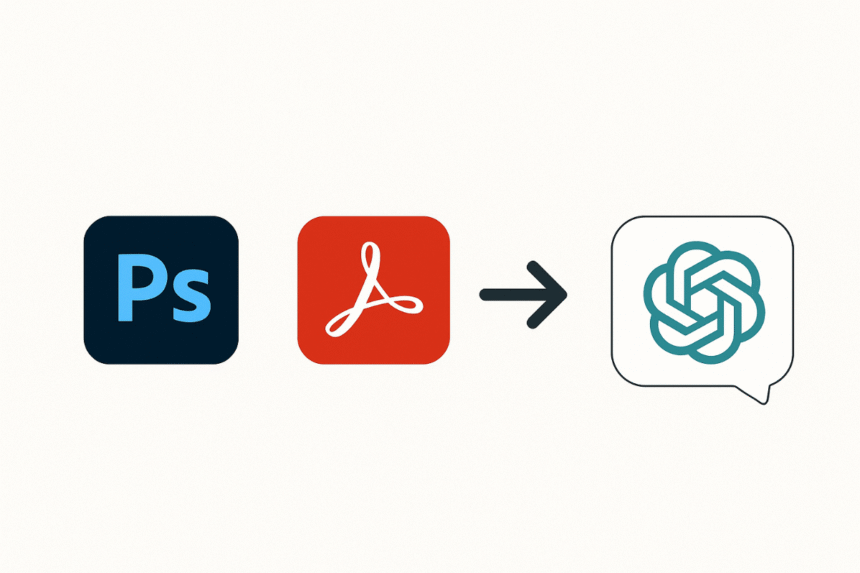
In a groundbreaking move that signals the next evolution of AI-powered productivity and creativity tools, Adobe has announced it is making three of its most iconic applications — Adobe Photoshop, Acrobat and Express – available for free directly inside ChatGPT.
The integration allows ChatGPT’s vast user base to edit images, manipulate PDF documents, and create professional-quality designs without leaving the chat interface – and crucially, without paying any additional subscription fees.
This represents a bold leap toward what Adobe calls “the future of conversational creativity and productivity.” For OpenAI’s ChatGPT, which boasts more than 800 million users worldwide, it’s another step toward transforming from a text-based AI into a multifaceted digital workspace.
The Road to Conversational Creativity
Adobe is no stranger to the concept of bringing its software into new formats. Over the past several years, the company has been steadily building the foundation for conversational experiences across its applications, experimenting with AI-powered assistants, integrated workflows, and cloud-based editing platforms.
But this latest integration – enabled by OpenAI’s recently launched Apps SDK – is perhaps the most ambitious to date.
This is an opportunity for everyone to try our iconic tools and capabilities inside one of the world’s most popular conversational AI interfaces and see firsthand how Adobe delivers outcomes that exceed what’s available in conversational interfaces today – Adobe said in a press release.
What’s Available Right Now
Adobe isn’t offering watered-down versions of its tools. Instead, the company says users will have access to the same high-quality controls they’d expect from the native apps, tailored for the ChatGPT environment.
Photoshop in ChatGPT
For the first time, ChatGPT users can conduct direct, in-chat image editing using Adobe Photoshop – entirely free of charge.
Capabilities include:
- Selecting and adjusting specific regions of an image.
- Fine-tuning brightness, contrast, and exposure levels.
- Modifying backgrounds – including removing, replacing, or blurring them.
- Applying a variety of creative effects such as Glitch, Glow, and Film Grain, all while maintaining the original image quality.
Technical Notes:
- Supports JPEG and PNG formats.
- Maximum file size: 20MB.
- Works entirely inside the chat—no separate app launch required.
Adobe Express in ChatGPT
Adobe Express is the company’s all-in-one design, photo, and video content creation tool. Inside ChatGPT, users get access to:
- A vast library of professionally designed templates for social media posts, marketing materials, and personal projects.
- The ability to add or modify text, replace images, and change color themes.
- Background customization to match specific styles or branding.
- Basic animation features for designs.
- Iterative edits making continuous updates without leaving the chat.
While the Express integration does not yet support every single desktop feature, Adobe says the experience has been optimized for seamless conversational editing.
Acrobat in ChatGPT
With Acrobat now embedded in ChatGPT, users can handle a variety of professional PDF tasks instantly:
- Upload and edit PDFs while maintaining structure and formatting.
- Extract text, tables, or images from PDFs.
- Rearrange, merge, and organize multiple files.
- Compress or convert documents to PDF format.
Technical Notes:
- File size limit: 100MB.
- Lacks advanced Acrobat Pro features such as digital signatures and watermarks.
- No generative AI capabilities currently — this is focused on core PDF management.
- No Paywall, No Plus Subscription Required
In one of the most surprising aspects of this announcement, Adobe confirmed that these integrations are free for all ChatGPT users, regardless of whether they have a ChatGPT Plus subscription.
This decision clearly signals Adobe’s intent to get more users familiar with its tools and perhaps transition some to full subscriptions in the future.
How to Use the Adobe Apps in ChatGPT
Using these tools is designed to be as intuitive as talking to a person. Users simply type natural-language prompts that include the app’s name.
Examples:
- Photoshop: Upload an image and say, “Make the background blurry using Photoshop” or “Increase brightness and add a warm filter.”
- Adobe Express: Choose a template and type, “Update the headline text to read ‘Summer Sale Starts Now!’ and replace the image with a beach photo.”
- Acrobat: Upload a PDF and say, “Extract the product list table from this PDF using Acrobat” or “Merge these two files into one PDF.”
The Bigger Picture: What This Means for AI-Powered Workflows
From a technology industry perspective, this partnership is significant for several reasons:
- Convergence of Creation and Conversation: Until now, many creative workflows required switching between specialized programs and communication tools. This integration collapses those steps into one, letting creators ideate, produce, and revise without leaving the messaging context.
- Democratization of Professional Tools: Photoshop and Acrobat have traditionally been subscription-based products with learning curves. Making them available for free inside a mainstream AI interface lowers barriers dramatically, potentially expanding Adobe’s user base significantly.
- Competitive Pressures: Google, Microsoft, and Canva have all been racing to integrate generative and editing capabilities into their platforms. Adobe’s move positions it as a proactive leader — not just following AI trends but embedding its flagship tools in one of the largest AI ecosystems.
- Redefining Software Distribution: This is a new model where high-value creative software can live inside external ecosystems — in this case, OpenAI’s ChatGPT — rather than as standalone desktop or cloud apps. It could inspire similar moves by other software vendors.
Potential Challenges and Limitations
While the announcement is exciting, there are caveats:
- Feature Limits: Not all advanced capabilities of Photoshop, Acrobat, or Express are available in the initial ChatGPT rollout. Professionals needing complex color profiles or in-depth vector manipulation will still need the full desktop apps.
- File Format Restrictions: Photoshop currently supports only JPEG and PNG, and larger image files aren’t supported.
- Performance Considerations: The speed of edits will depend on both OpenAI’s infrastructure and Adobe’s cloud processing capabilities.
- Regulatory Approvals: With EU and UK rollouts pending, Adobe must navigate compliance and data privacy requirements, especially when handling user-generated content.
What’s Next?
Adobe has hinted at expanding both the functionality and app selection available via ChatGPT. While no specific features were announced, future possibilities could include:
- Generative Fill and Content-Aware tools in Photoshop via natural language.
- Advanced PDF automation such as AI-powered contract analysis in Acrobat.
- Video editing capabilities from Adobe Premiere or After Effects within ChatGPT.
Given how quickly AI integration is accelerating, it wouldn’t be surprising to see these features within months rather than years.
Thoughts
Adobe’s decision to make Photoshop, Acrobat, and Express freely available inside ChatGPT marks a significant inflection point in how we use creative and productivity tools. By merging the power of Adobe’s industry-standard software with ChatGPT’s conversational interface, the companies are reshaping expectations for digital workflows.
For the everyday user, it’s an unprecedented opportunity to experiment with world-class creative tools in the simplest possible way — by just asking.
As AI continues to break down barriers between ideation and execution, integrations like this could herald a future where the line between chatting and creating disappears entirely.