
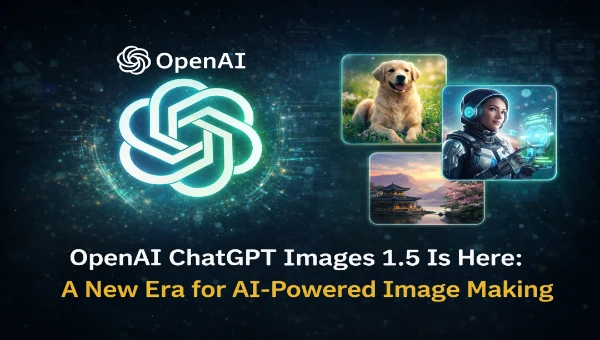
OpenAI has quietly launched a major upgrade to its image generation tools that feels less like a routine update and more like a strategic leap. The new ChatGPT Images experience, powered by the latest GPT Image 1.5 model, is rolling out across ChatGPT and the API, giving users a faster, more accurate, and significantly more capable way to generate and edit images using plain English requests.
While the company first introduced image generation within ChatGPT earlier in the year, this release feels different. It moves the feature out of the experimental shadows and into a polished creative space that I think many will actually use beyond novelty. The improvements are not just speed boosts, but real usability upgrades that make AI-driven visuals genuinely productive.
Faster, Smarter, More Reliable
At the heart of this update is GPT Image 1.5, the newest iteration of OpenAI’s image generation technology. According to reports and company announcements, this version generates visuals up to four times faster than previous models and follows instructions with much tighter fidelity. That means when you tell the system exactly what you want changed in an existing image, or what you want created from scratch, it’s far more likely to deliver the result you imagine without glaring errors.
In testing and side-by-side comparisons shared publicly, the outputs show clearer detail, better preservation of key elements, and much more natural edits. Photorealistic scenes, stylised artistic creations, and even complex multi-subject compositions come through with greater visual coherence.
One of the standout enhancements noticed is how well the model preserves important details while editing. If you ask it to change clothing or hairstyle in a photograph, it sticks to the intent without smashing the lighting or proportions. This feels like a shift from generating pretty visuals to actually offering useful visual editing.
A Creative Studio in Your Pocket
OpenAI isn’t just upgrading the core model, they’re also reshaping how users interact with image creation. A new Images tab appears in ChatGPT’s sidebar, designed like a mini creative studio. It suggests trending prompts, offers preset styles, and provides instant access to previously generated images. This makes it easier for people who don’t know how to write perfect prompts to still generate compelling visuals.
Another thoughtful touch is the centralized image library where all creations are automatically saved. You can browse, edit again, share, or download your work from a single place. For designers, content creators, students, and casual users alike, this changes the dynamic from “did I save that somewhere?” to “I can reuse and refine this whenever I want.”
Practical Uses
- Content creation benefits immediately. Bloggers, marketers, and small businesses can produce professional visuals without expensive software or deep design skills.
- Education gains a tool for visual storytelling, quick diagram creation, and artistic expression, which helps students and teachers alike.
- Design workflows starting with rough concepts can now be refined faster, letting professionals prototype ideas before moving to traditional tools.
In essence, ChatGPT Images is becoming a bridge between idea and visual realisation without any learning curves.
Competitive Landscape
This launch comes at a moment when AI image generation is heating up as a battlefield. Google’s Nano Banana Pro and other offerings have drawn significant attention for producing studio-level visuals and accurate text in images. OpenAI’s response with GPT Image 1.5 signals a commitment to stay competitive in a space that increasingly defines how people create content online.
CEO Sam Altman has reportedly treated this push as a code red initiative internally, underscoring how seriously the company views this domain. While text generation remains its bread and butter, visuals are quickly becoming a major value driver in how people interact with AI.
Key Insights
This update matters because it turns image generation and editing from a curiosity into a versatile tool. Its speed, quality, and ease of use are reasons both casual creators and professionals should take it seriously. With the Images tab, a dedicated library, and more faithful instruction following, OpenAI is carving out a place for AI visuals that feels purposeful rather than gimmicky.